vboxuser@MasterNodee:~$ kubectl run webserver --image=nginx:stable --port=80
vboxuser@MasterNodee:/etc/kubernetes$ kubectl get pods -o wide
NAME READY STATUS RESTARTS AGE IP NODE NOMINATED NODE READINESS GATES
webserver 1/1 Running 0 5h17m 10.244.2.2 workernode2 <none> <none>
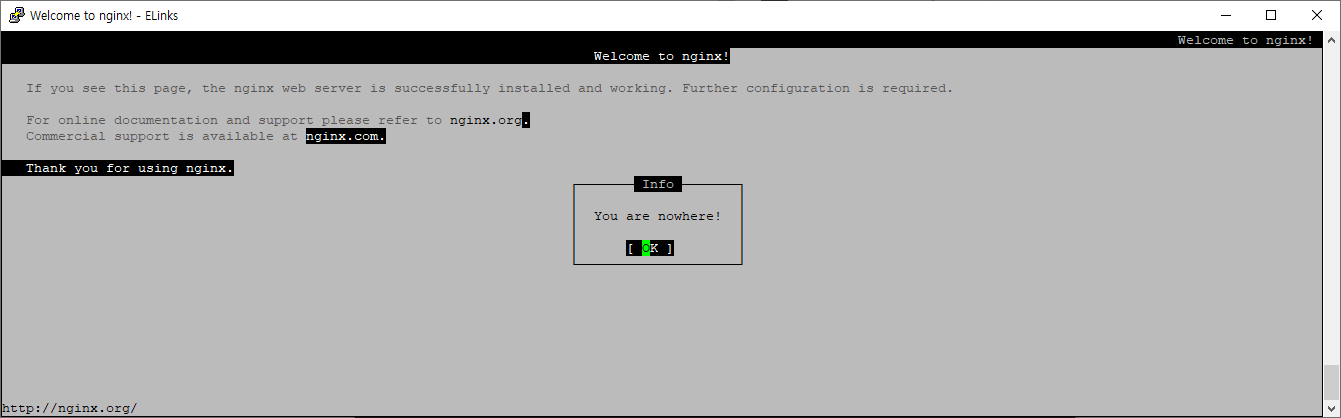
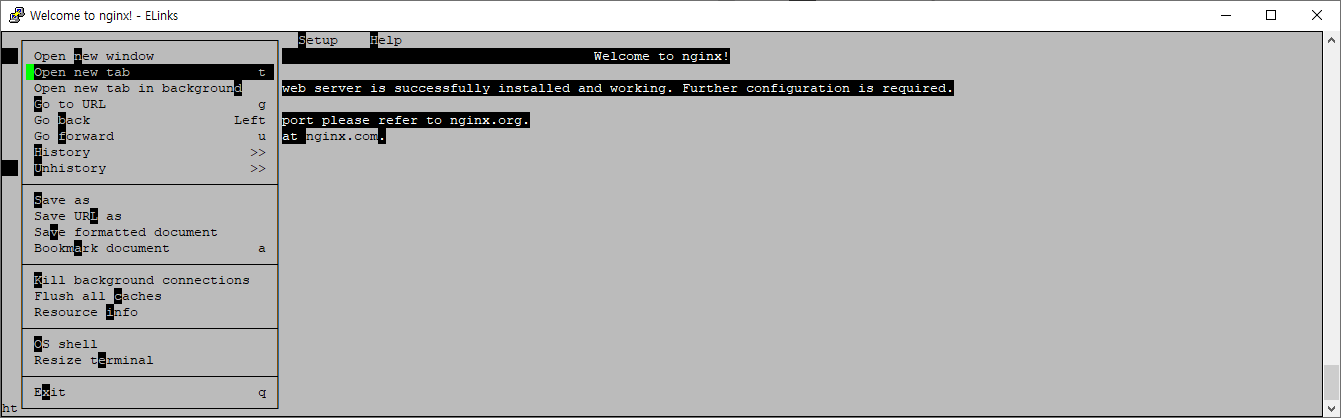
vboxuser@MasterNodee:/etc/kubernetes$ elinks 10.244.2.2
vboxuser@MasterNodee:/etc/kubernetes$
#########################################################################
mainui 이름으로 apache(httpd) 3개 생성
vboxuser@MasterNodee:~$ kubectl create deployment mainui --image=httpd --replicas=3
deployment.apps/mainui created
vboxuser@MasterNodee:~$ kubectl get deployments.apps
NAME READY UP-TO-DATE AVAILABLE AGE
mainui 0/3 3 0 13s
vboxuser@MasterNodee:~$ kubectl describe deployments.apps mainui
Name: mainui
Namespace: default
CreationTimestamp: Mon, 22 Sep 2025 15:22:12 +0000
Labels: app=mainui
Annotations: deployment.kubernetes.io/revision: 1
Selector: app=mainui
Replicas: 3 desired | 3 updated | 3 total | 1 available | 2 unavailable
StrategyType: RollingUpdate
MinReadySeconds: 0
RollingUpdateStrategy: 25% max unavailable, 25% max surge
Pod Template:
Labels: app=mainui
Containers:
httpd:
Image: httpd
Port: <none>
Host Port: <none>
Environment: <none>
Mounts: <none>
Volumes: <none>
Node-Selectors: <none>
Tolerations: <none>
Conditions:
Type Status Reason
---- ------ ------
Available False MinimumReplicasUnavailable
Progressing True ReplicaSetUpdated
OldReplicaSets: <none>
NewReplicaSet: mainui-5886756f68 (3/3 replicas created)
Events:
Type Reason Age From Message
---- ------ ---- ---- -------
Normal ScalingReplicaSet 39s deployment-controller Scaled up replica set mainui-5886756f68 to 3
vboxuser@MasterNodee:~$
vboxuser@MasterNodee:~$ kubectl get pods -o wide
NAME READY STATUS RESTARTS AGE IP NODE NOMINATED NODE READINESS GATES
mainui-5886756f68-9z5h9 0/1 ContainerCreating 0 2m36s <none> workernode2 <none> <none>
mainui-5886756f68-n52bm 1/1 Running 0 2m37s 10.244.1.2 workernode1 <none> <none>
mainui-5886756f68-x5pgl 1/1 Running 1 (60s ago) 2m36s 10.244.3.3 workernode3 <none> <none>
webserver 1/1 Running 0 5h24m 10.244.2.2 workernode2 <none> <none>
vboxuser@MasterNodee:~$
vboxuser@MasterNodee:~$ kubectl get pods mainui-5886756f68-n52bm -o wide
NAME READY STATUS RESTARTS AGE IP NODE NOMINATED NODE READINESS GATES
mainui-5886756f68-n52bm 1/1 Running 0 3m54s 10.244.1.2 workernode1 <none> <none>
vboxuser@MasterNodee:~$ curl 10.244.1.2
<html><body><h1>It works!</h1></body></html>
vboxuser@MasterNodee:~$
#########################################################################
nginx로 들어가서 test web 으로 index.html 만들고 curl로 보기
vboxuser@MasterNodee:~$ kubectl exec webserver -it --/bin/bash
error: unknown flag: --/bin/bash
See 'kubectl exec --help' for usage.
vboxuser@MasterNodee:~$ kubectl exec webserver -it -- /bin/bash
root@webserver:/#
root@webserver:/# ls /usr/share/nginx/html/
50x.html index.html
root@webserver:/# cat /usr/share/nginx/html/index.html
<!DOCTYPE html>
<html>
<head>
<title>Welcome to nginx!</title>
<style>
html { color-scheme: light dark; }
body { width: 35em; margin: 0 auto;
font-family: Tahoma, Verdana, Arial, sans-serif; }
</style>
</head>
<body>
<h1>Welcome to nginx!</h1>
<p>If you see this page, the nginx web server is successfully installed and
working. Further configuration is required.</p>
<p>For online documentation and support please refer to
<a href="http://nginx.org/">nginx.org</a>.<br/>
Commercial support is available at
<a href="http://nginx.com/">nginx.com</a>.</p>
<p><em>Thank you for using nginx.</em></p>
</body>
</html>
root@webserver:/#
root@webserver:/# echo "test web" > index.html
root@webserver:/# cp index.html /usr/share/nginx/html/
root@webserver:/# exit
exit
vboxuser@MasterNodee:~$ curl 10.244.2.2
test web
vboxuser@MasterNodee:~$
vboxuser@MasterNodee:~$ kubectl port-forward webserver 80:80
Unable to listen on port 80: Listeners failed to create with the following errors: [unable to create listener: Error listen tcp4 127.0.0.1:80: bind: permission denied unable to create listener: Error listen tcp6 [::1]:80: bind: permission denied]
error: unable to listen on any of the requested ports: [{80 80}]
vboxuser@MasterNodee:~$ kubectl port-forward webserver 8080:80
Forwarding from 127.0.0.1:8080 -> 80
Forwarding from [::1]:8080 -> 80
Handling connection for 8080
login as: vboxuser
vboxuser@192.168.88.31's password:
Welcome to Ubuntu 24.04.3 LTS (GNU/Linux 6.14.0-29-generic x86_64)
* Documentation: https://help.ubuntu.com
* Management: https://landscape.canonical.com
* Support: https://ubuntu.com/pro
Expanded Security Maintenance for Applications is not enabled.
60 updates can be applied immediately.
To see these additional updates run: apt list --upgradable
Enable ESM Apps to receive additional future security updates.
See https://ubuntu.com/esm or run: sudo pro status
Last login: Mon Sep 22 13:59:07 2025 from 192.168.88.48
vboxuser@MasterNodee:~$
vboxuser@MasterNodee:~$ curl localhost
curl: (7) Failed to connect to localhost port 80 after 0 ms: Couldn't connect to server
vboxuser@MasterNodee:~$ curl localhost:8080
test web
vboxuser@MasterNodee:~$
vboxuser@MasterNodee:~$ kubectl edit deployments.apps mainui
deployment.apps/mainui edited
replicas: 3을
replicas: 5로 변경
vboxuser@MasterNodee:~$ kubectl get pods
NAME READY STATUS RESTARTS AGE
mainui-5886756f68-4p489 1/1 Running 0 19s
mainui-5886756f68-9z5h9 1/1 Running 0 19m
mainui-5886756f68-lkhpc 1/1 Running 0 19s
mainui-5886756f68-n52bm 1/1 Running 0 19m
mainui-5886756f68-x5pgl 0/1 CrashLoopBackOff 6 (2m1s ago) 19m
webserver 1/1 Running 0 5h41m
vboxuser@MasterNodee:~$
vboxuser@MasterNodee:~$ kubectl run webserver --image=nginx:stable --port=80 --dry-run
W0922 15:43:29.695748 387973 helpers.go:731] --dry-run is deprecated and can be replaced with --dry-run=client.
pod/webserver created (dry run)
vboxuser@MasterNodee:~$ kubectl run webserver --image=nginx:stable --port 80 --dry-run -o yaml
W0922 15:44:28.683295 388218 helpers.go:731] --dry-run is deprecated and can be replaced with --dry-run=client.
apiVersion: v1
kind: Pod
metadata:
labels:
run: webserver
name: webserver
spec:
containers:
- image: nginx:stable
name: webserver
ports:
- containerPort: 80
resources: {}
dnsPolicy: ClusterFirst
restartPolicy: Always
status: {}
vboxuser@MasterNodee:~$ kubectl run webserver --image=nginx:stable --port 80 --dry-run -o yaml > webserver-pod.yaml
W0922 15:45:02.144050 388356 helpers.go:731] --dry-run is deprecated and can be replaced with --dry-run=client.
vboxuser@MasterNodee:~$ cat webserver-pod.yaml
apiVersion: v1
kind: Pod
metadata:
labels:
run: webserver
name: webserver
spec:
containers:
- image: nginx:stable
name: webserver
ports:
- containerPort: 80
resources: {}
dnsPolicy: ClusterFirst
restartPolicy: Always
status: {}
vboxuser@MasterNodee:~$ vi
vboxuser@MasterNodee:~$ vi webserver-pod.yaml
vboxuser@MasterNodee:~$ cat webserver-pod.yaml
apiVersion: v1
kind: Pod
metadata:
labels:
run: webserver
name: webserver
spec:
containers:
- image: nginx:stable
name: webserver
ports:
- containerPort: 80
vboxuser@MasterNodee:~$
vboxuser@MasterNodee:~$ kubectl delete pod webserver
pod "webserver" deleted from default namespace
vboxuser@MasterNodee:~$ kubectl get pods
NAME READY STATUS RESTARTS AGE
mainui-5886756f68-4p489 1/1 Running 0 5m47s
mainui-5886756f68-9z5h9 1/1 Running 0 25m
mainui-5886756f68-lkhpc 1/1 Running 0 5m47s
mainui-5886756f68-n52bm 1/1 Running 0 25m
mainui-5886756f68-x5pgl 1/1 Running 7 (7m29s ago) 25m
vboxuser@MasterNodee:~$ kubectl delete deployments.apps mainui
deployment.apps "mainui" deleted from default namespace
vboxuser@MasterNodee:~$ kubectl get pods
No resources found in default namespace.
vboxuser@MasterNodee:~$
vboxuser@MasterNodee:~$ kubectl create -f webserver-pod.yaml
pod/webserver created
vboxuser@MasterNodee:~$ kubectl get pods
NAME READY STATUS RESTARTS AGE
webserver 0/1 ContainerCreating 0 3s
'학습 > 시스템' 카테고리의 다른 글
| Jenkins vs GitHub Actions + Self-hosted Runner 비교 (1) | 2026.01.18 |
|---|---|
| 쿠버네티스(Node와 Cluster의 범위) (0) | 2025.09.26 |
| kubernetes setting config (0) | 2025.09.21 |
| [리눅스] sudo 명령어 사용을 위한 wheel group에 사용자 추가 (0) | 2024.11.06 |
| linux의 history 명령어 실행 시간을 함께 출력하는 방법 (1) | 2024.09.01 |